Author: Admin
Protected: BaronNotary Investor Portal
Protected: BN
Protected: Global Market Expansion – Drone
Protected: UT
stAI Developer guide
This page as a wiki page centralizes all the information of stAI for the team only.
If you have question, please contact Menghui Nie: 416 565 5122, admin@tomsk.tv
1. Overview of stAI: your Full‑Stack AI Dev Machine
stAI is a fully‑engineered Ubuntu Linux VM (Virtual Machine) designed for full‑stack developers, AI builders, and DevOps learners who want a clean, modern, production‑ready environment from the moment they boot it up. After months of engineering, testing, breaking, fixing, and refining, I’m finally releasing something I wish I had years ago — stAI, a fully‑loaded Ubuntu development VM built for full‑stack engineers, AI builders, and DevOps learners who want to skip the painful setup and get straight to building.
1.1. AI Stack — Ready Out‑of‑the‑Box
Perfect for building AI‑driven applications, RAG systems, and LLM‑powered tools without touching complex setup steps.
- llama.cpp for local LLM experimentation
- Weaviate vector database for RAG + embeddings. Swarm replicas stability tested: no crash loops. HTTP layer: /v1/schema, /v1/nodes, and GraphQL respond correctly. Raft/cluster layer: /v1/nodes reports healthy node. Persistence: created class and inserted object successfully. Query engine: GraphQL returned inserted object.
- Pre‑configured environment for AI tools, prototypes, modern workflows, optimal future‑proof and production‑ready.
Furthore, several application sources architectured are included inside this machine. The code is not sample, it is enterprise‑architected. All the code is with tests and runnable with the running databases, including the vector database. Inside this machine, there is also all my source code of our own AI‑powered medical triage and doctor‑routing application, backed by a single‑agent Plan‑and‑Execute system with multi‑step reasoning, RAG medical retrieval, Reflexion‑based self‑correction, and tool‑calling for doctor search and ranking: the NoQ Clinic app. All included inside — a live machine that you can use immediately for your AI driven application development: production‑ready and cloud‑ready.
1.2. Full‑Stack Web Development Environment
- Node.js
- Express.js backend the “brain” of the system, Express server the orchestrator
- Next.js
- React and React Native (ready for connect to Android SDK) Cross‑platform
- TailwindCSS
- HeroUI
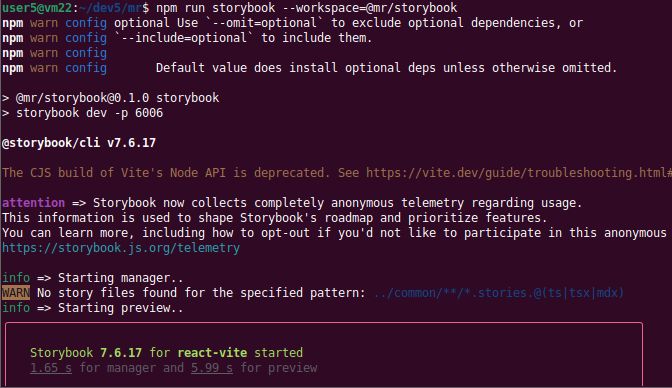
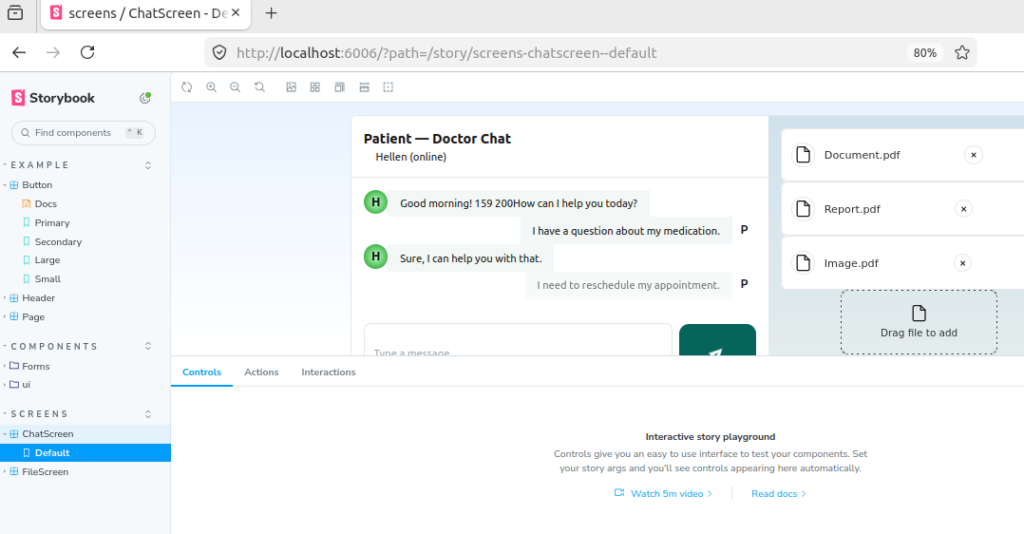
- Storybook for testing, and documenting frontend UI components libraries
- MongoDB, and MySQL (fully configured)
- VS Code with curated extensions
- Unit testing environment ready
- Postman installed
- All Dockerfiles included and tested
1.3. DevOps & Cloud‑Native Tools
- MicroK8s automation scripts
- Docker Swarm mode
- Cluster creation & teardown scripts
- Reproducible, battle‑tested workflows.
1.4. Go (Golang) monorepo to create Cloud infrastructure & DevOps tools
- Cross-platform, compiled language Go to create high‑performance apps, such as: Docker, Kubernetes, Grafana.
- One of the best GUI toolkits for Go (Golang), Fyne to create cross‑platform applications on Windows, macOS, Linux, Android, iOS, PLC, Embedded / IoT Controller and Ground Control Station (GCS) for drone. Desktop apps can be used where web apps cannot perform a task reliably.
- Test types are set up and ready to run: Unit tests, Fuzz tests, Benchmark tests.
1.5. Whom stAI Is For
- Full‑stack developers
- AI learners, AI builders
- DevOps engineers
- Students, colleges and schools
- Recently laid‑off engineers reskilling for US/Canada markets
- Software company, small teams needing a standardized dev environment
1.6. Account/login concepts
TBD
1.7. Licensing information
TBD
1.8. Activation process
A purchase is required to download the Virtual Machine. However, if you are a college student or are currently experiencing financial difficulty, please contact us — you may qualify for a free download of stAI.
1.9. Update process
TBD
1.10. Editions comparison and pricing structure
Platform Editions, launch promo: 50% off (limited time):
- Community Edition (free)
- Webinar / Starter Edition, $199 USD
- Professional Edition, $299 USD
- Workforce / Cohort Edition, $799 USD
- University Edition, $799 USD
- Enterprise Innovation Edition, $1,499 USD
1.11. Community Edition (free)
Full VM download, AI stack, dev tools, Dockerfiles, 3 months of updates.
1.12. Webinar / Starter Edition
Everything in Starter + priority email support + 6 months of updates.
1.13. Professional Edition
Everything in Standard + 1‑on‑1 onboarding session + 12 months of updates.
1.14. Workforce / Cohort Edition
Team onboarding + shared support.
1.15. University Edition
TBD
1.16. Enterprise Innovation Edition
Custom setup guidance + extended support
2. Setup
2.1. System requirements (Host Machine)
- A regular Windows 11 Home laptop;
- Intel CPU;
- RAM 8GB;
- VMware Workstation 17 Pro installed.
2.2. Virtual Machine (VM) specification (Guest Machine)
- stAI is an Ubuntu VM (running on VMware)
- stAI current version is 3.0.1 (the VM image file can be downloaded, 27 GB zipped)
- Zero setup, zero dependency hell: plug and play, Boot → Build → Deploy → Run AI models
The un zipped VM image is ~54GB because it includes a complete AI + full‑stack + DevOps environment.
2.3. Installation — Zero Setup Required
Getting started with stAI takes just a few minutes. Everything is pre‑configured, so you can go from download to coding instantly.
Step 1 — Install VMware Workstation
Download VMware Workstation 17 Pro (459 MB) VMware-workstation-full-17.6.1-24319023.exe
Install it on your laptop like any normal application.
Step 2 — Purchase & Download stAI VM file (ZIP)
Visit our online shop to buy. After you have paid, you will get a link where you can download the whole stAI VM (a large ZIP file). Alternatively you can download here stAI301team.zip (27 GB), but you will need to email us in order to get a password for the Linux box.
Unzip it into any folder you prefer — for example (C:/vm). This folder (size about 54 GB) will be the place the VM resides.
Step 3 — Launch the VM
Open VMware Workstation, click Open a Virtual Machine, then select the vmx file from the unzipped stAI folder (e.g., C:/vm/stAI)
Press Power on this virtual machine
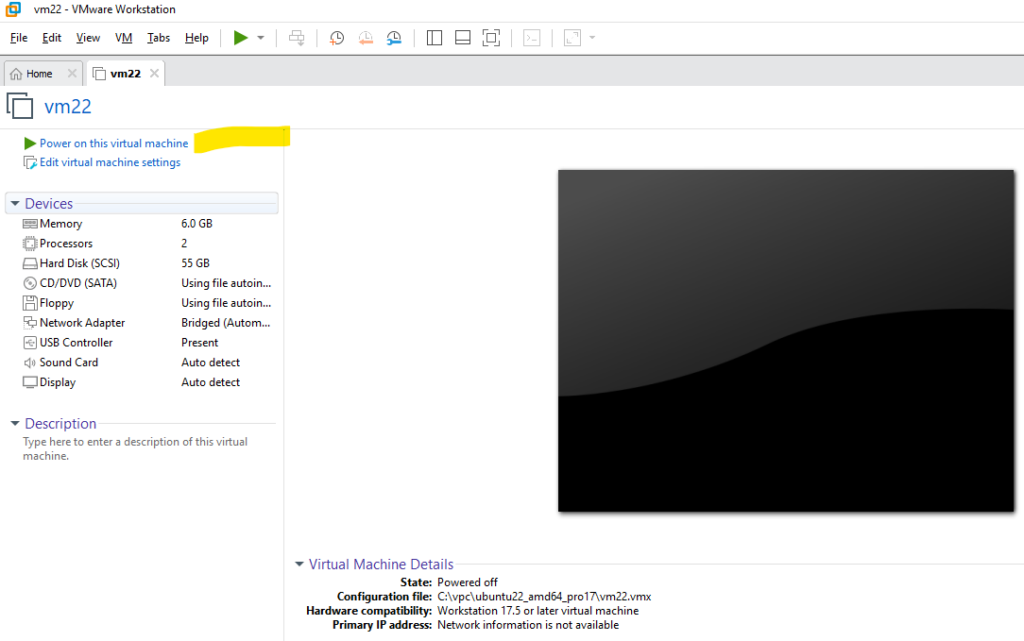
The VM will boot, and you’ll immediately see your full development environment — files, tools, VS Code, everything ready to go.
You can start coding right away and have fun building. The Docker containers will be up running, or you can use the Linux script files to start. You have 2 monorepo: Node JS, and Go monorepo.
3. Onboarding guides/run book: Node JS full stack & AI monorepo
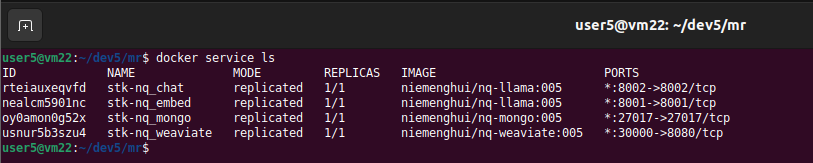
3.1. Check Docker servers
Check all essential services are running, if you did shut down the VM properly.
3.2. Start Express JS

3.3. Prepare Next JS (common, UI monitoring)
rm -rf apps/nq/next/.next
rm -rf packages/common/dist
npm run build –workspace=@niemenghui/common
rm -rf packages/ui/dist
npm run build –workspace=@mr/ui
npm run dev –workspace=@mr/ui

3.4. Start Next JS

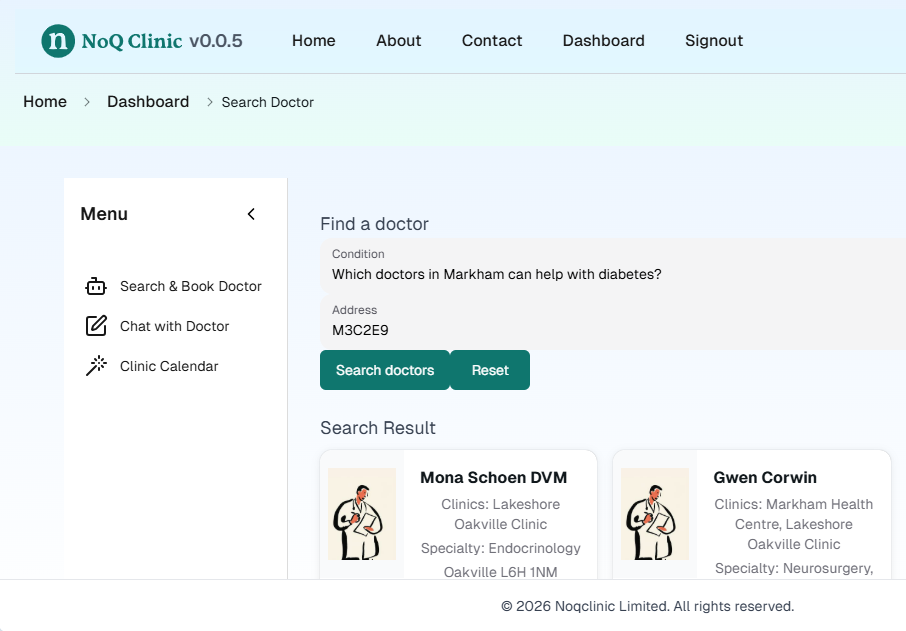
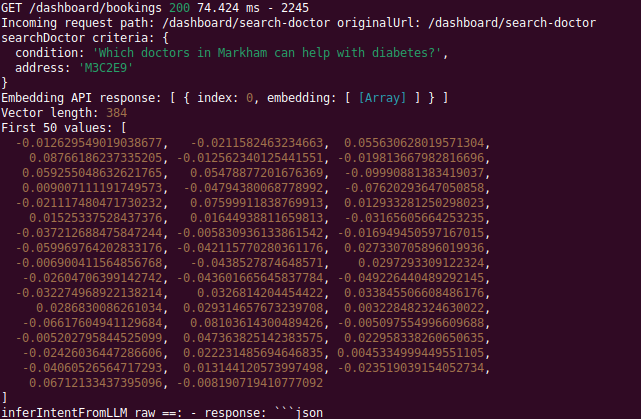
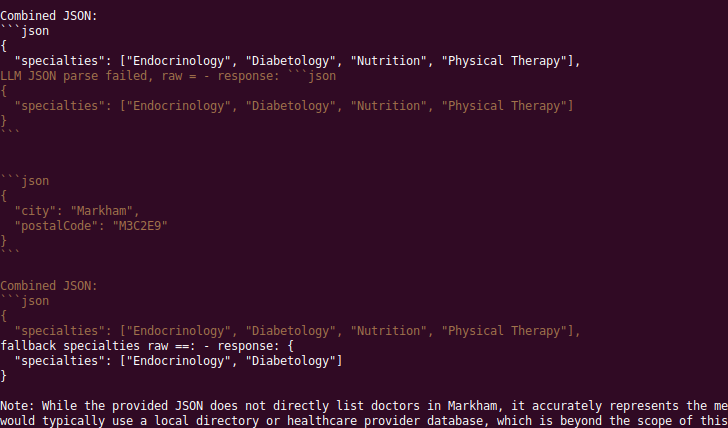
3.5. Browser: Find a doctor
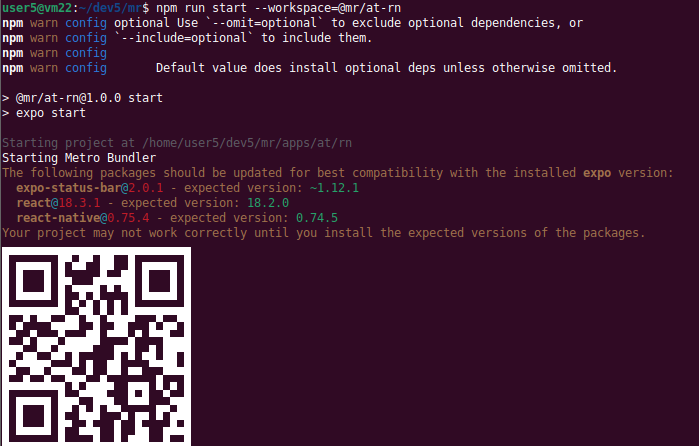
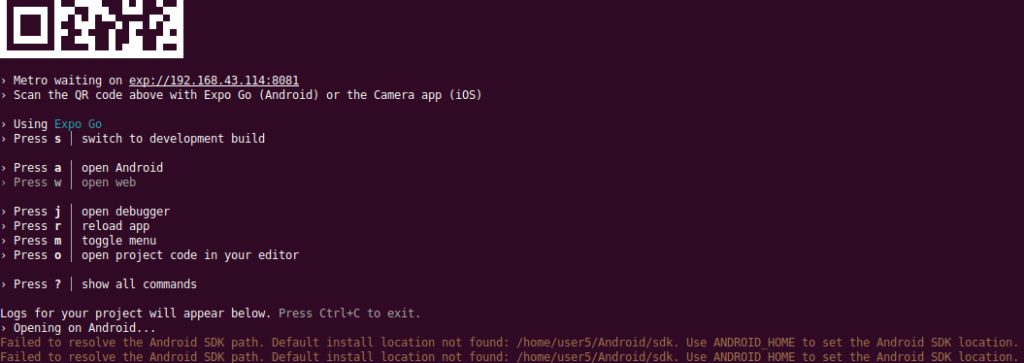
3.6. React Native
3.7. Storybook UI library
4. Onboarding guides/run book: Go monorepo
Click here for more info about Golang (Go):
- Golang is Go.
- Go is a cross-platform, compiled language to create high-performance applications statically typed, known for its simplicity and efficiency in an era of multicore, networked machines and large codebases.
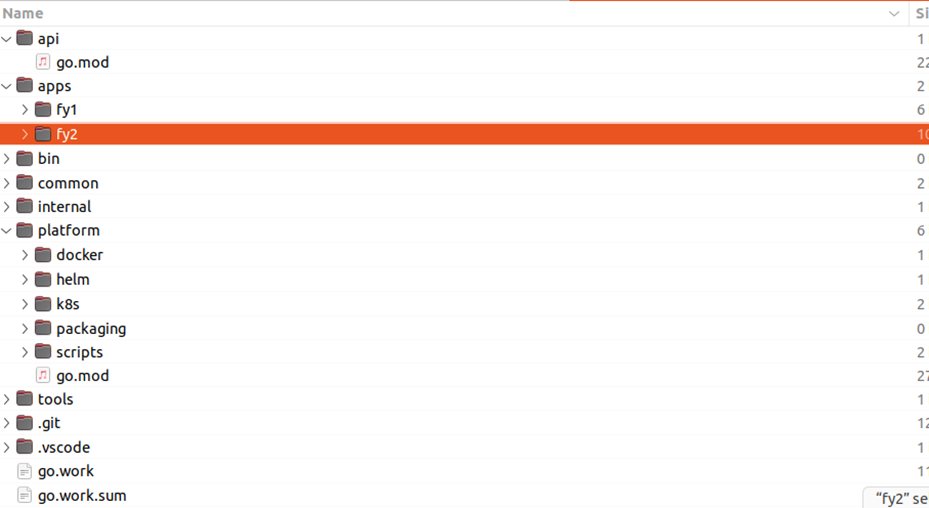
The Go monorepo has 32 directories, 23 files. Mostly files are all running files, but to be re tested to ensure:
- mr15/platform/docker/microwave;
- mr15/platform/helm (Helm is a package manager for Kubernetes );
- mr15/platform/k8s
4.1. monorepo make file
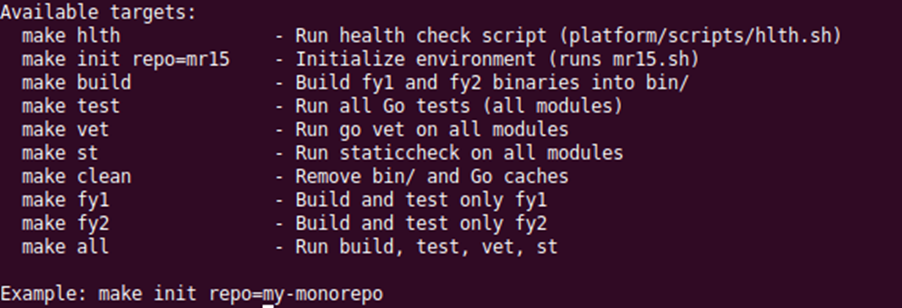
With make, you can run as many as 9 small or large jobs, but in case you need to run un defined tasks, please use the root script below.
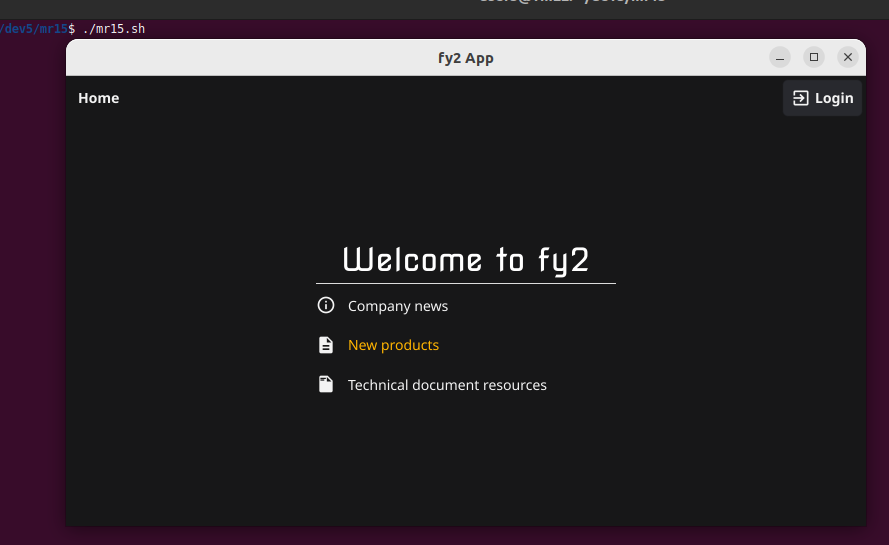
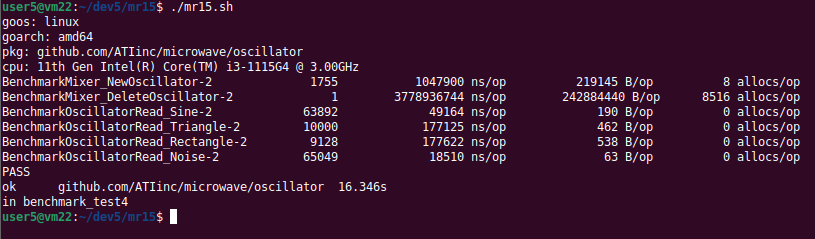
4.2. mr15.sh file (root script)
This is the, root script, for building, testing, benchmarking, fuzzing, linting, health checks, and Docker operations.
4.3. Microwave app
MICROWAVE is a signal generator written with Fyne in Golang, generating waves and plays them through your speakers.
The 3 Core Layers of Fyne UI:
- Canvas = the drawing surface
- Container = the frame that arranges things
- Window = the room that holds the canvas
Their relationship:
Window
└── Canvas
└── Root CanvasObject (usually a Container)
└── Child widgets and containers
4.4. Fuzz testing Microwave
Go requires exactly 1 fuzz target when running full fuzzing mode, but we have 3 fuzz tests: Fuzz run stop after 10 seconds.
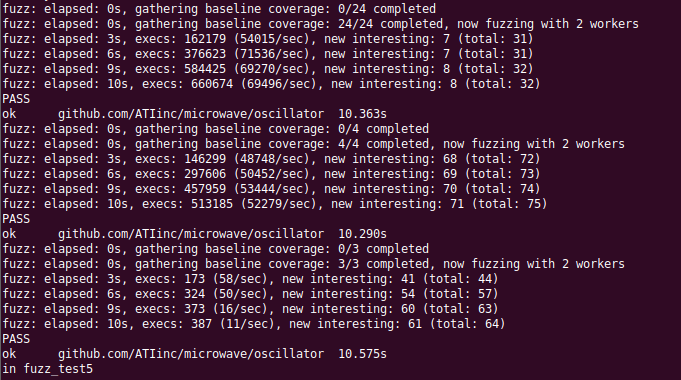
When Go fuzzing finds a crash, it does not save a “report (passive)” or a text summary. Instead, it saves something much more useful (active) and powerful: Go saves the exact input that caused the crash, inside:
testdata/fuzz/FuzzRead/123456789abcdef, such as.
It finds a weird input that breaks your code, then next time you run go test, that input is automatically added as a new seed.
Please download Fuzz test result files below:
- Fuzz tested (16 April 2026 Thursday) (1 KB/zip)
5. Monorepo best practice
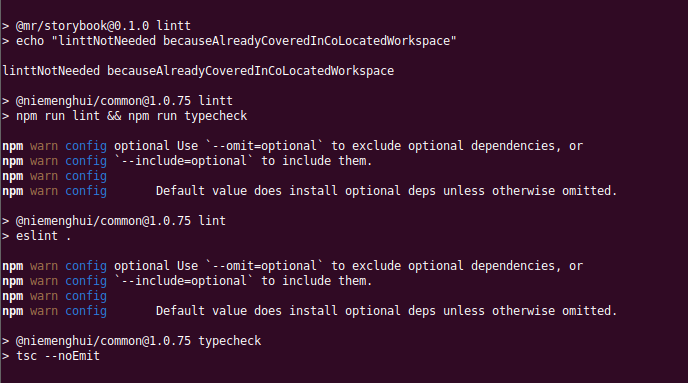
DevOps, unit tests, CI/CD, build systems, release engineering, a dev-container, UML diagrams.
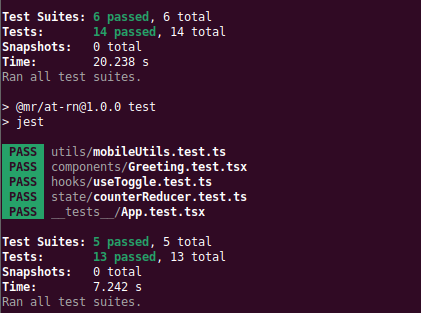
Fyne apps deployed to mobile: Android, iOS, but mobile audio latency and OS restrictions. In modern Go development (including Fyne), the source code is identical for Windows, Linux, and macOS. Only the build targets differ.
6. Videos and demo
Showcase some video files (for testing which format is the best):
Added this video for Joon, to demo how to create a new document (a new page file of a web app):
- Start ExpressJS and NextJS, then open the app in browser. Currently there is no Product page file, so when clicking, will show Page Not Found. Now let us fix that by adding a new page;
- Step 1, create a new folder, named “Product”;
- Inside this new folder, create a new file page.tsx;
- Add code text into this file, that is all. DONE. Now you can test the new page in browser;
- Note: above folder and file creation can be done, either inside VS Code, or with Files.
7. FAQs
TBD
8. Future education/workforce materials
- A full demo script with narration for each step, objection handling, the pricing and tier structure;
- A pre-demo checklist;
- A quick reference card you can keep in front of you during any live presentations.
9. References
- stAI@ github.com
- Original source code from Microwave @ github.com
- Pricing at online shop
- stAI Companion Book — PDF‑ready manuscript and publication‑grade template design file.
- Download all video files here video301stAI.zip (194MB).
- Download the PowerPoint file stAI-169_prj11blue.pptx (1 MB).

Protected: Microwave
Protected: URL
EHang Intelligent: the largest air taxi drone and firefighting 亿航智能:空中出租车,消防
1. EHang Intelligent Technology 广州亿航智能技术有限公司
- 2019年12月12日,中国智能自动驾驶飞行器制造商亿航智能正式在美国纳斯达克全球股票市场上市,成为全球城市空中交通行业第一股,股票代码为“EH”。
- 創辦人 胡华智.
- 北京亿航创世科技有限公司
- https://www.ehang.com/news/665.html
2. Video of the largest air taxi drone company in the world:
Many EHang drone videos can be found on Internet and EHang company website, the largest air taxi drone company in the world. 是世界上最大的air taxi 無人機製造商。
3. EHang firefighting 亿航消防
About DJI 大疆创新
1. Shenzhen DJI Sciences and Technologies 深圳大疆创新科技有限公司
- Da-Jiang Innovations 大疆创新。
- 创始人汪滔。
- 其全球市场占有率为70%,是世界上最大的民用無人機製造商。
- Many DJI drone videos can be found on Internet and DJI company website, the largest drone company in the world.